
Last Updated: September 8, 2026
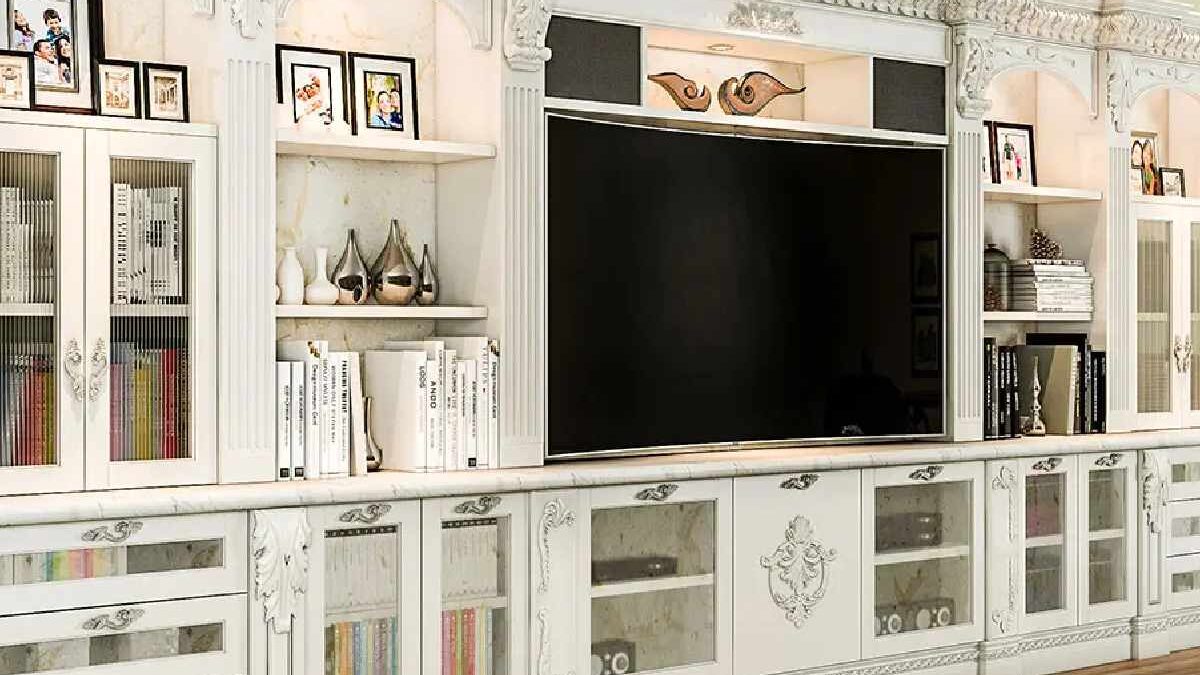
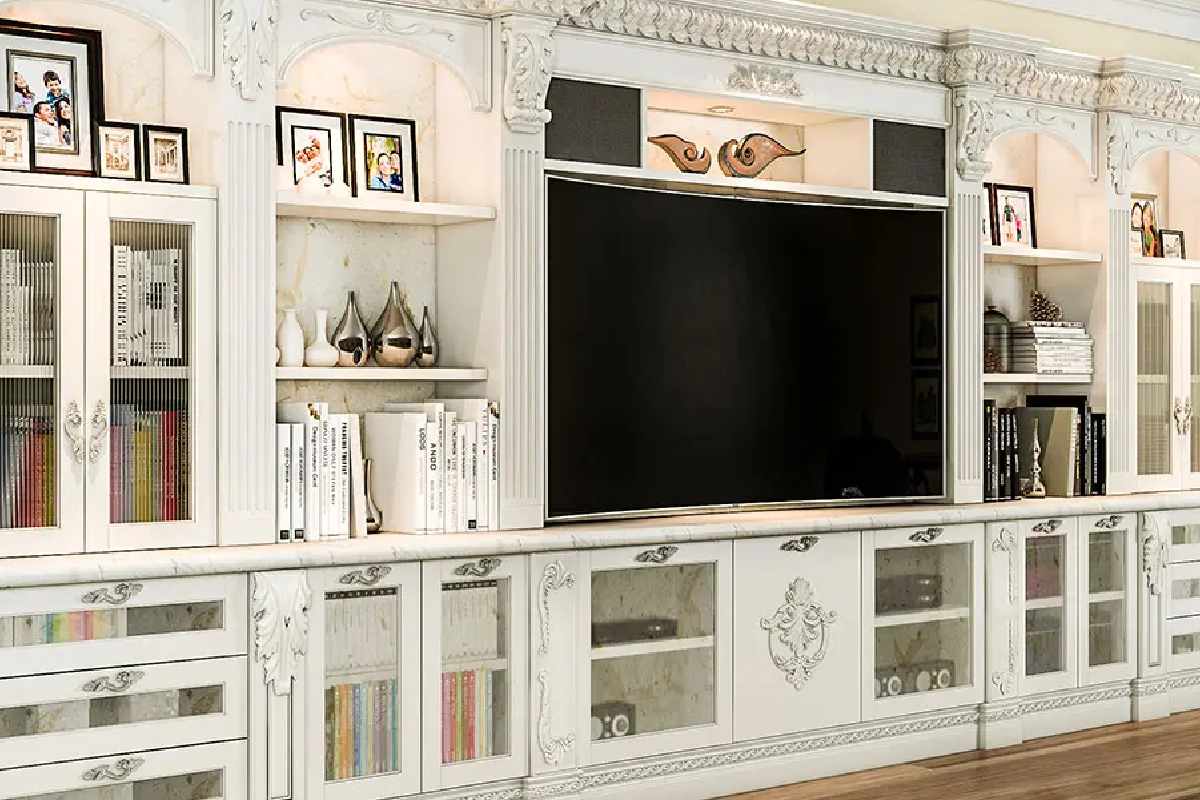
A perfect entertainment center is a stylish and functional furniture setup that organizes your TV, speakers, gaming devices, décor, and storage in one place. It becomes the main focal point of your living room, creating a comfortable and attractive space for watching movies, gaming, and relaxing with family.
This article belongs to Lifestyle & Wellness
Table of Contents
What Is an Entertainment Center?
An entertainment center is a unit or wall design that holds:
- Television and media devices
- Audio systems and gaming consoles
- Storage for books, décor, and accessories
- Lighting and decorative elements
It combines technology, storage, and interior design in one smart solution.
Types of Entertainment Center Configurations
| Configuration Type | Structural Design | Best Application | Technical Advantage |
|---|---|---|---|
| Freestanding Unit | Movable modular cabinet | Rental homes | No wall anchoring required |
| Wall-Mounted Unit | Floating frame system | Compact apartments | Space optimization |
| Built-In Unit | Custom carpentry installation | Permanent homes | Integrated wiring |
| Corner Unit | Angular shelving structure | Small living rooms | Utilizes dead space |
| Modular Unit | Adjustable panels & racks | Multi-device setups | Expandability |
Key Elements of a Perfect Entertainment Center
A perfect entertainment center combines function, comfort, and style to create an enjoyable and organized space for watching TV, gaming, and relaxing. Here are the most important elements to consider.
1. Proper Size and Layout
The entertainment center should match:
- Your TV size
- Room dimensions
- Seating arrangement
It must allow comfortable viewing distance and not overcrowd the living room. A balanced layout creates a neat and attractive focal point.
2. Smart Storage Solutions
Good storage keeps your space organized and clutter-free. A perfect setup includes:
- Cabinets for accessories
- Shelves for décor and books
- Drawers for remote controls and cables
- Hidden storage for wires
This helps maintain a clean and stylish look.
3. Cable Management
Messy wires can spoil the appearance. Modern designs offer:
- Built-in cable organizers
- Hidden wiring channels
- Power outlet access
This improves safety and keeps the area visually appealing.
4. Lighting and Ambience
Lighting enhances the experience and mood. Popular options include:
- LED strip lighting
- Backlit panels
- Ambient lighting
- Adjustable brightness
These features create a cinema-like atmosphere.
5. Comfort and Viewing Experience
The entertainment center should support:
- Proper eye-level TV placement
- Comfortable seating angles
- Reduced glare and reflections
This ensures long viewing sessions without strain.
6. Stylish Design
Choose a style that suits your home décor, such as:
- Modern minimalist
- Traditional wooden
- Industrial
- Scandinavian
You can take inspiration from brands like IKEA or Urban Ladder for trendy and functional designs.
7. Technology Integration
A modern entertainment center should support:
- Smart TVs
- Streaming devices
- Gaming consoles
- Surround sound systems
This ensures compatibility with current and future technology.
8. Personalization
Add your personal touch with:
- Family photos
- Indoor plants
- Art and collectibles
- Decorative items
This makes the space more warm and inviting.
9. Space Optimization
Depending on your home, you can choose:
- Wall-mounted or floating units for small homes
- Built-in units for large spaces
- Corner units for compact layouts
These designs maximize available space.
10. Durability and Quality
Use strong and high-quality materials like:
- Solid wood
- Engineered wood
- Metal or glass
Durable furniture lasts longer and adds value to your home.
Display Technology Compatibility Framework
| Display Technology | Resolution Support | Recommended Viewing Distance | Mounting Load Requirement |
|---|---|---|---|
| LED TV | 1080p / 4K | 1.5 – 2.5x screen size | Medium |
| OLED | 4K / 8K | 1 – 1.5x screen size | Light |
| QLED | 4K | 1.2 – 2x screen size | Medium |
| Projection Screen | Up to 8K | 2 – 3x screen size | Low |
| MicroLED | 8K | 1x screen size | Heavy-duty mount |
Material Selection for Entertainment Center Construction
| Material Type | Load Bearing Capacity | Thermal Resistance | Maintenance Level |
|---|---|---|---|
| Engineered Wood | Medium | Moderate | Low |
| Solid Wood | High | High | Medium |
| Tempered Glass | Low | High | High |
| Metal Frame | Very High | Very High | Low |
| MDF Panels | Medium | Low | Medium |
Tips to Create a Perfect Entertainment Center
Designing a perfect entertainment center is about combining comfort, style, and smart organization. Here are practical tips to help you create a beautiful and functional space in your home.
1. Choose the Right TV Size and Placement
Start by selecting a TV that suits your room size. Proper placement ensures:
- Comfortable viewing distance
- Reduced eye strain
- Better sound and picture experience
For example, modern TVs from Samsung or Sony come in various sizes to match different spaces.
2. Measure Your Space Carefully
Before buying furniture:
- Measure the wall and floor area
- Consider door and window positions
- Leave space for movement
This helps avoid overcrowding and keeps the room balanced.
3. Focus on Storage and Organization
A good entertainment center should include:
- Cabinets for accessories
- Shelves for décor
- Hidden compartments for clutter
You can explore functional designs from brands like IKEA or Urban Ladder.
4. Manage Cables and Wires
Messy cables can spoil the look. To keep it neat:
- Use cable organizers
- Hide wires behind panels
- Install power outlets near the unit
This improves both safety and appearance.
5. Add Lighting for Ambience
Lighting creates a cozy and cinematic feel. Consider:
- LED strip lights
- Backlit panels
- Wall lights or spotlights
Warm lighting enhances mood and comfort.
6. Match Your Home Décor
Choose colors and materials that suit your interior style:
- Wood for a warm look
- Glossy finishes for modern homes
- Neutral tones for elegance
Consistency makes your living room look sophisticated.
7. Ensure Comfortable Seating
Your seating arrangement should:
- Face the TV directly
- Provide good viewing angles
- Offer enough space for family and guests
Comfort is essential for enjoying movies or games.
8. Plan for Future Technology
Keep space for:
- Gaming consoles
- Soundbars and speakers
- Streaming devices
This helps your entertainment center stay useful for years.
9. Add Personal Touches
Decorate with:
- Family photos
- Plants
- Art and collectibles
This makes your space more welcoming and unique.
10. Keep It Simple and Clutter-Free
Avoid overcrowding with too many items. A clean and minimalist setup:
- Looks modern
- Feels relaxing
- Is easier to maintain
Cable Management System Classification
| System Type | Installation Mode | Suitability | Key Benefit |
|---|---|---|---|
| Raceway Channels | Surface-mounted | Retrofit projects | Easy installation |
| In-wall Conduit | Embedded | New construction | Invisible wiring |
| Cable Sleeves | Flexible wrap | Gaming setups | Device grouping |
| Cable Clips | Adhesive mount | Minimalist setups | Low cost |
Thermal Management Techniques
| Cooling Method | Implementation | Efficiency Level |
|---|---|---|
| Passive Ventilation | Open shelf design | Moderate |
| Active Cooling Fan | Cabinet interior | High |
| Heat Sink Panels | Rear mounting | High |
| Vent Grilles | Cabinet doors | Medium |
Developing the Ideal Entertainment Facility
Entertainment Center Decide on the Space and Layout
One of the most important things that you should consider before you start planning your entertainment center is the amount of space and room layout. Measure the wall on which you are going to install the center and think about the general flow and organization of the room. This analysis will assist you in deciding how large and how many who should be in your entertainment center.
Entertainment Center Select TV Stand or Mount
The television is the main attraction of any entertainment center. You can choose either a TV stand or a wall mount depending on your choice and room layout. TV stands will hold TV media players and television accessories and offers a central channel on which your television can be held. Wall mounts, however, do not occupy much space and have a minimalistic appearance. Make sure that the size and weight of your television are compatible with your entertainment center of 75 inch tv stand or mount.
Storage and Organization
An entertainment center must be well designed to provide sufficient storage and organization space to store your media equipment, cables and accessories in a tidy and convenient place. Arguably, include shelves, cabinets, or drawers to store DVDs, game consoles, remote controls, and other media devices. Cable management systems have the potential of concealing unattractive wires and give a clean and orderly appearance.
Surround Sound System
To experience the full immersion during entertainment, a surround sound system is an idea worth considering when designing an entertainment center. The speakers can be strategically used to install the surround sound speakers around the room and to create a three-dimensional audio system. A professional installer should be consulted or good research should be done so that the placement of the speakers can be optimum so as to provide the best sound.
Lighting and Ambiance
Lighting is very important in enhancing the ideal atmosphere in your entertainment center. Light dimmers or LED strips: Because there is a wall behind the TV or shelves, it would be nice to put dimmable lights or LED strips to give the area a soft glow and increase the appeal of your display. Also, adjustable light lamps can be used to minimize the burden on the eye during the time spent watching movies or playing video games. (Coohom)
Seating and Comfort
A comfortable chair is essential when one is having an enjoyable time watching movies or listening to music. Select seating arrangements that would suit your entertainment center in terms of style and size. Sofas or recliners or even a special home theater seat setup can be the most comfortable feature in the case of a long viewing session. Take into account the amount of individuals to be using the room and be sure that there is ample seating capacity.
Display and Decor
Make the entertainment center design reflect your personal style, through decorating the area with personal mementos and figurative items. Display paintings, photo prints or collectibles on shelves or on display cases on the walls. But remember not to clutter otherwise the main focus will be lost and this is the TV.
Gaming and Multimedia Setup
When you are a multimedia/gamer, you can add a gaming or multimedia configuration to your center. Space out game consoles, and game controllers and other game accessories. Include a gaming chair or a dedicated gaming monitor to do so. It will enable you to effortlessly alternate watching films, television programs and playing games.
Ventilation and Heat Control
Electronic equipment produces heat and you must make sure to have adequate ventilation and heat control in your center. Select furnishings and shelves that enable adequate circulation in and around your media equipment. Do not seal up ventilation ports or place too many equipment closely together, this may bring about overheating and damage to your electronics. (HomeStyler)
Hiding or Imprinting Devices
To keep the place tidy and orderly, you may hide your media devices. Use furniture or cabinets with doors that will enable you to store your equipment when you are not using them. Alternatively, there are entertainment centers which come with inbuilt areas that are specifically meant to host media devices and which are a perfect addition to the general design.
When designing the ideal entertainment center, you have to think it through very well by considering the space at hand, your personal tastes and the functionality that is expected. Through the TV stand or TV mount, storage and organization and surround sound systems, lighting, seating and ventilation, you can create a center that perfectly blends style and functionality. Having the ideal center, it is possible to sit down, relax and spend long hours of entertainment at the comfort of your home.
Conclusion
An ideal Entertainment Center combines efficient space utilization, ergonomic viewing alignment, proper ventilation, organized cable management, and compatible audio-visual integration. By balancing structural design with technical performance and smart functionality, it creates a cohesive media environment that enhances comfort, protects electronic equipment, and delivers a seamless home entertainment experience.
For readers interested in related travel and leisure topics, you can also explore preparing for the long haul and Bullseyes in Motion. For additional practical equipment guidance, you can also review safety tips for using angle grinders effectively.